Disaster Recovery as a Service: A Canadian SMB Guide
Learn how disaster recovery as a service protects Canadian SMBs with affordable, scalable cloud solutions for data security and business continuity in 2026.

Learn how disaster recovery as a service protects Canadian SMBs with affordable, scalable cloud solutions for data security and business continuity in 2026.

58% of Canadian businesses affected by cyber incidents experienced downtime, averaging 23 hours. Disaster recovery as a service gives your organisation a managed way to restore critical systems and data when production infrastructure is unavailable.
It usually happens at the worst possible time. A manufacturer is preparing a shipment, a clinic is checking patients in, or a law firm is working toward a filing deadline when employees lose access to applications and shared files. A warning appears on one screen, then another. The backup may exist, but nobody can yet confirm whether it is clean, complete, or fast enough to support the business.
That gap, between having a backup and being able to operate again, is where disaster recovery as a service, or DRaaS, earns its place.
A ransomware attack doesn't just remove a few files. It can interrupt identity systems, line-of-business applications, communications, databases, and the processes employees rely on every day. A failed server, damaged facility, or extended technology outage can create a similar result without a criminal entering the network.
Statistics Canada's historical data shows the operational impact clearly. In 2017, 21% of Canadian businesses were affected by cybersecurity incidents that disrupted operations. Among those affected, 58% experienced downtime, with average total downtime reaching 23 hours across mobile devices, desktops, and networks. The same report found that 54% said incidents prevented employees from performing day-to-day work, while 30% incurred additional repair or recovery costs. Statistics Canada's analysis of cybersecurity incidents among Canadian businesses provides useful context for understanding why recovery readiness matters.
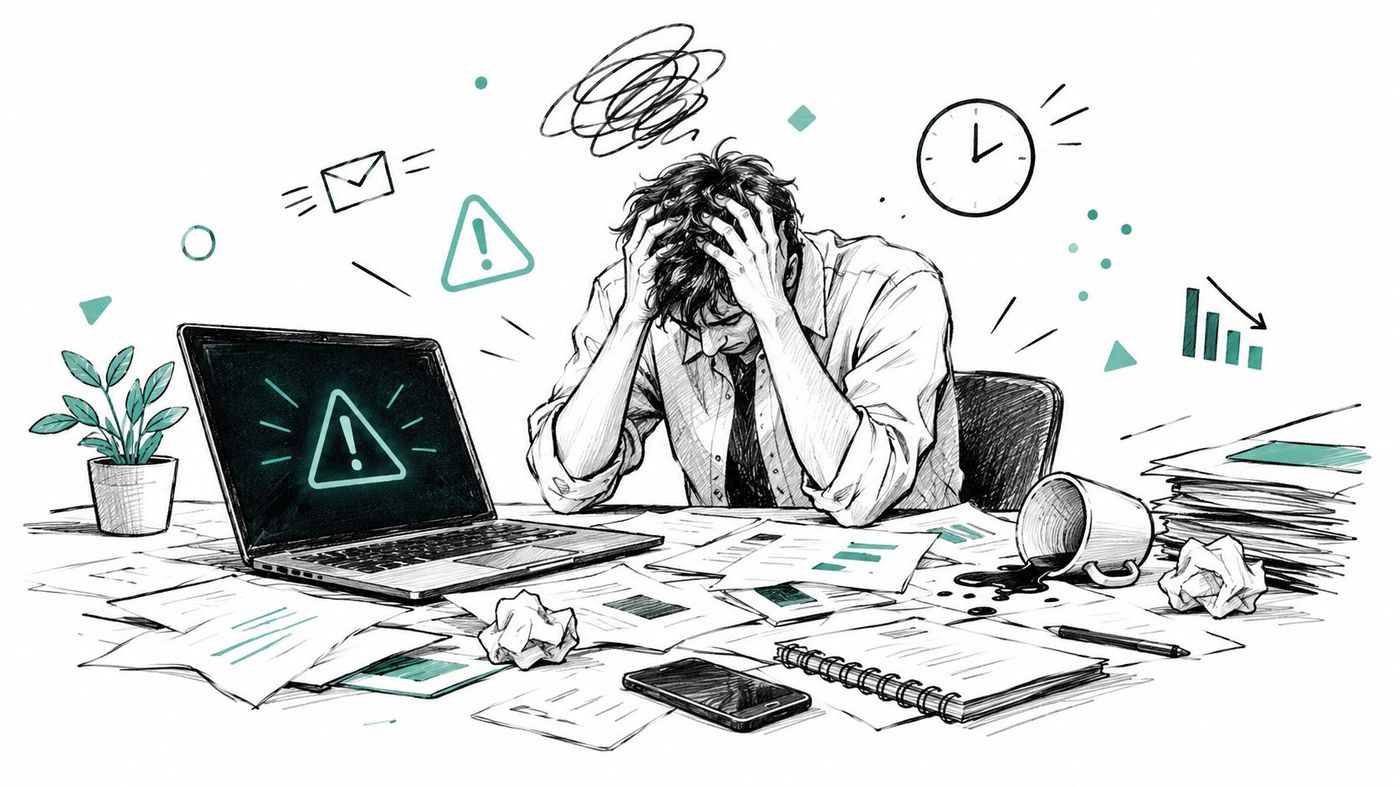
A backup is a copy. Recovery is a coordinated business process.
Your team needs more than stored data. It needs access to usable applications, working identity services, network connectivity, current records, documented priorities, and people who know who can authorise isolation or failover. If a provider restores files but the database, authentication service, or application dependencies remain unavailable, the business still can't function.
Practical rule: Treat recovery as a rehearsal for continuing work, not as a confirmation that a backup job completed.
That principle applies to physical records too. Organisations that depend on paper files, contracts, or vital archives should also review guidance on archive protection during disasters, because digital resilience doesn't protect information that remains exposed in a physical environment.
A useful IT disaster recovery plan connects technology recovery to business decisions. It identifies which services matter first, how staff will work during an outage, who communicates with customers, and what evidence leadership needs before systems return to production. DRaaS supports that plan by providing an alternative environment where priority workloads can be restored and operated.
Think of DRaaS as a prepared safety net for your digital operations. A provider replicates selected servers, applications, and data to a separate environment, maintains the recovery infrastructure, and helps your team activate it when the primary environment fails.
That differs from ordinary cloud storage. Cloud backup may let you retrieve a document or restore a server. DRaaS is designed to restore a usable operating environment, including the relationships between systems that employees need to do their jobs.
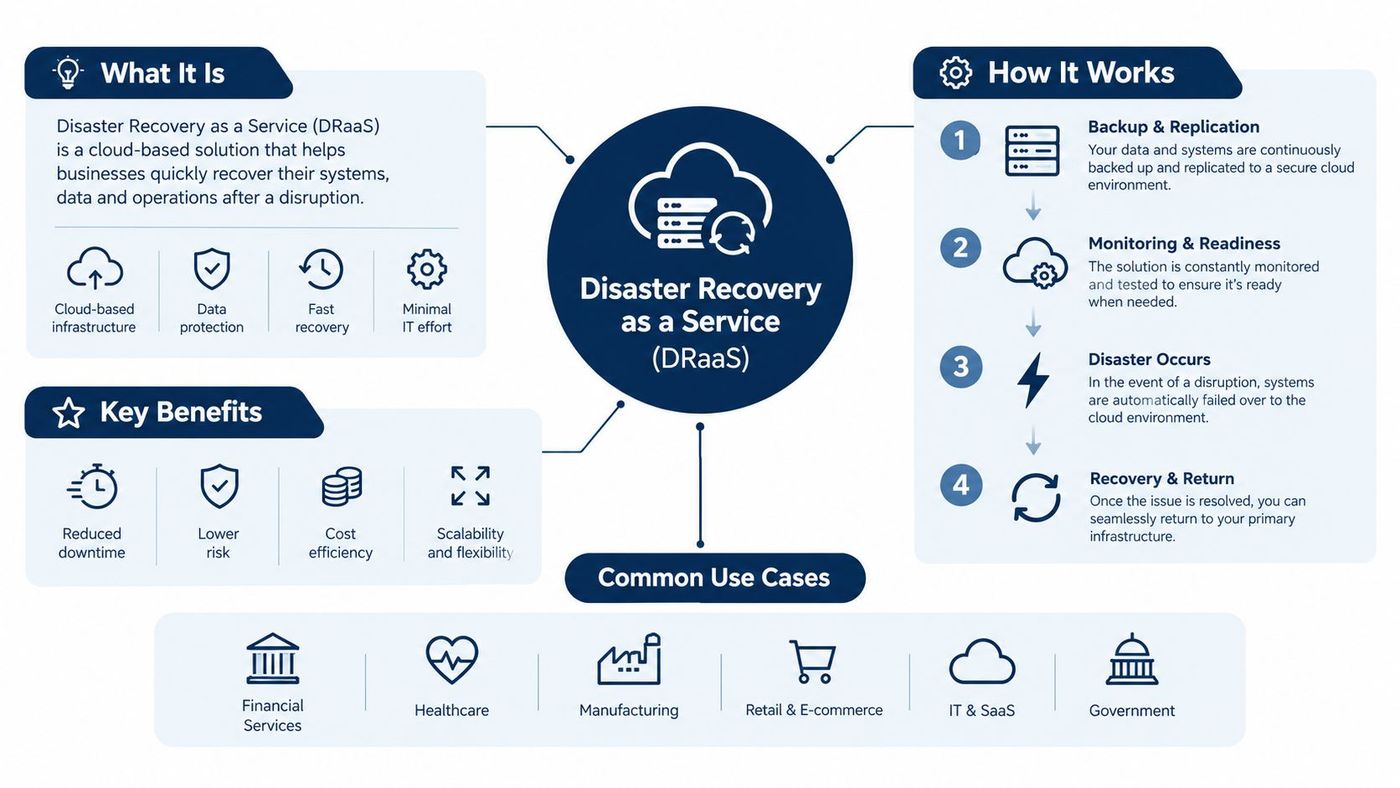
Replication copies changes from protected workloads to the recovery environment. The interval depends on the workload's business needs. A financial database may require more frequent protection than an archive.
Failover moves priority operations to the recovery environment when the primary one can't safely serve users. This can be planned, such as during a controlled exercise, or triggered by a serious incident.
Recovery and failback restore normal operations after the cause of the outage has been addressed. Failback must be controlled, because moving users back too early can cause data conflicts or expose them to an unresolved threat.
DRaaS can be valuable for a medium-sized business that doesn't want to build and maintain a second data centre. It still requires decisions from the customer, including workload priorities, access permissions, recovery targets, data locations, and testing expectations. The provider supplies managed capability, but business leaders remain responsible for deciding what must be recovered and in what order.
For a clearer distinction between stored copies and recoverable services, compare DRaaS with Data Backup as a Service. Many organisations need both. Backup supports retention and granular restoration, while DRaaS addresses the larger question of how critical operations resume after a major disruption.
A backup gives you a copy of your data. Recovery asks a harder question: can your business use that copy within the time and conditions it needs? Two measures turn that question into practical targets:
The first defines the Recovery Time Objective, or RTO. The Canadian Centre for Cyber Security defines RTO as the maximum tolerable downtime, as explained in our guide to recovery time objective. The second defines the Recovery Point Objective, or RPO, the maximum tolerable data loss. Guidance on emergency preparedness planning and IT service management shows how these measures set the loss window a recovery plan must handle.
A logistics company might rank its shipment database, warehouse processes, email, and historical documents differently. If the shipment database is unavailable, dispatchers may be unable to release orders. Losing access to historical documents temporarily may slow research without stopping today's deliveries.
A practical design might use:
These tiers are examples, not universal targets. A business impact analysis should set objectives for each workload.
A provider should measure recovery performance rather than only promise a target. During a representative restore, record the time to provision compute, restore identity and networking dependencies, validate application consistency, and confirm user access. If the result exceeds the approved RTO, the remedy may involve different replication frequency, standby capacity, orchestration, or dependency mapping. More storage alone will not repair a weak recovery design.
Ransomware adds another test. A recent recovery point may already be compromised, so recovery data should be held in an isolated environment and checked before reconnection. Canadian organisations should also confirm where recovery copies and systems are hosted, whether the provider meets their data sovereignty requirements, and which access controls apply during recovery.
Ransomware changes the recovery question from “Can we restore?” to “Can we restore cleanly without giving the attacker another opportunity?”
The Canadian Centre for Cyber Security reported that Canadian ransomware incidents increased by an average of 26% per year from 2021 through 2024, while total recovery costs associated with cybersecurity incidents doubled in 2023 to CAD 1.2 billion. The same assessment estimated the average ransom paid in Canada at CAD 1.130 million in 2023, nearly 150% higher than two years earlier. These figures appear in the National Cyber Threat Assessment.
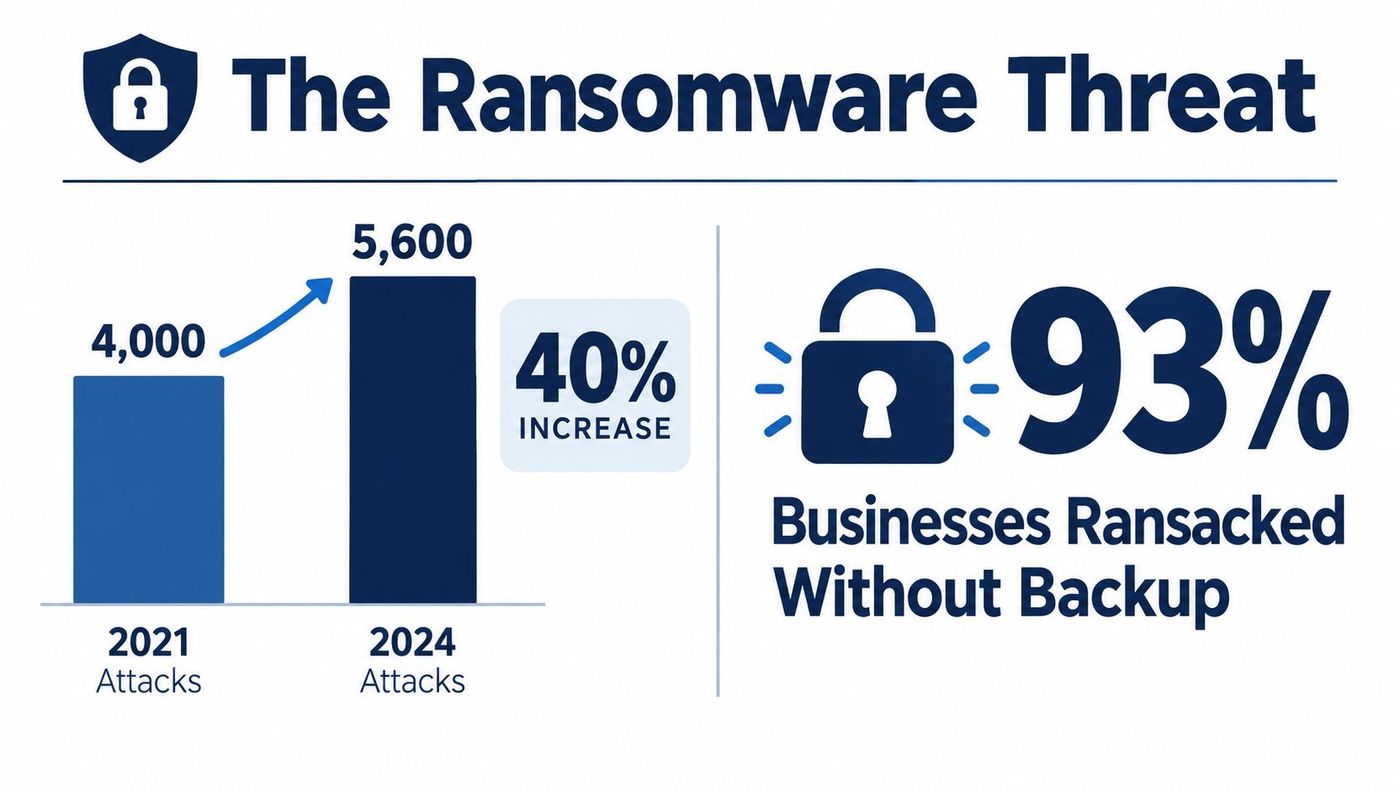
A conventional replica connected too closely to production may be encrypted or deleted through compromised credentials. A backup console reachable from the production network can become another target. Fast failover to an infected environment may restore availability briefly while preserving the attacker's foothold.
A ransomware-resistant DRaaS design should separate recovery copies technically and administratively. The Canadian Cyber Centre recommends frequent backups, multiple security barriers, encryption, and at least one offline or disconnected copy. It also advises scanning backups for malware before restoration, as described in its ransomware prevention and recovery guidance.
Look for these controls:
The alternatives are not equal. A basic backup service may cost less and suit archives or non-critical files. Replication without isolation can provide speed but leaves a serious security weakness. A managed DRaaS design with immutable copies, separated access, and tested orchestration addresses both availability and trust.
Before selecting a service, consider conducting an information security audit to identify exposed credentials, weak permissions, unsupported systems, and dependencies that could undermine recovery. Then use the findings to define protection tiers rather than paying to treat every workload identically. A focused ransomware protection strategy should include containment and clean restoration, not only detection.
A provider's recovery environment should withstand a difficult question: what happens if production credentials, endpoints, and administrators are already compromised?
Start with the operating model, not the marketing label. Ask where primary and secondary environments are located, which subcontractors can access them, how encryption keys are managed, and whether failover or support operations could move information outside Canada. The Government of Canada cautions that cloud storage alone doesn't guarantee Canadian data sovereignty. Its guidance on data sovereignty, residency, and security is relevant to replicated workloads, system images, logs, and keys, not just production databases.
For organisations subject to PIPEDA, recovery evidence can support breach response. When a breach creates a real risk of significant harm, the organisation must report it to the Privacy Commissioner and notify affected individuals. It must also keep records of every breach involving personal information under its control for two years, according to the Privacy Commissioner's breach requirements.
Choose a provider that can explain the service in operational terms. If the conversation focuses only on storage capacity and replication dashboards, ask how clinicians, dispatchers, accountants, or legal staff will work during recovery.
A manageable implementation begins with business decisions, not a platform purchase. Bring together the people who understand revenue, patient care, production, customer commitments, compliance, and technology. Their input turns an abstract recovery plan into a sequence the organisation can use under pressure.
First, map dependencies. List priority applications, databases, identity services, network requirements, SaaS connections, endpoints, and information stores. Note which services must be available first and which can wait.
Next, set workload-specific RTOs and RPOs. Don't assign one interval to the entire environment. A clinic may prioritise patient records and scheduling, while a manufacturer may place production planning and inventory ahead of historical reporting.
Then, design isolation into the service. Require immutable protection, separate administration, MFA, geographically appropriate copies, independent logging, and restoration into a quarantined network. The recovery environment should be harder for an attacker to reach than production.
After that, document minimum viable operations. Decide how staff will handle appointments, prescriptions, shipping, payments, customer communications, or case work while systems remain unavailable. Identify who can isolate systems and who can approve failover.
Finally, test and improve. A backup job can report success while an application restore still fails because identity, networking, or data consistency was overlooked. Run representative recovery exercises, record the actual results, obtain business-user sign-off, and update the runbook when the environment changes.
Healthcare needs particular care. The Canadian Cyber Centre reports that ransomware incidents affecting healthcare have nearly doubled since 2022 and describes attacks that temporarily forced hospitals to shut down internal health systems, as outlined in its National Cyber Threat Assessment for 2025 to 2026. For clinics and regional providers, safe patient care matters more than a technically fast restore. Downtime workflows, clinician validation, privacy responsibilities, and recovery sequencing must be agreed before an incident.
A disaster recovery plan template can help organise the first workshop. The finished plan should live with the people who use it, receive regular updates, and support decisions when normal communications are disrupted.

DRaaS isn't a substitute for leadership, incident response, or business continuity. It is the managed recovery capability that connects those activities to working systems. When your team knows what must be restored, where clean copies reside, who authorises action, and how success will be verified, an outage becomes a controlled response rather than an improvised scramble.
CloudOrbis Inc. provides managed disaster recovery and business continuity services for Canadian small and mid-sized businesses, including critical-workload replication, off-site immutable backups, documented incident-response runbooks, and full-environment recovery testing. Visit CloudOrbis Inc. to discuss your recovery objectives, data-residency requirements, and a practical DRaaS roadmap.
Book a 30-minute call with a senior engineer. No sales script, just straight answers about your environment.


