Phishing Attack Prevention for Canadian Businesses
Practical phishing attack prevention for Canadian SMBs: employee training, simulations, MFA, DMARC, email filtering, and incident response steps you can start

Practical phishing attack prevention for Canadian SMBs: employee training, simulations, MFA, DMARC, email filtering, and incident response steps you can start

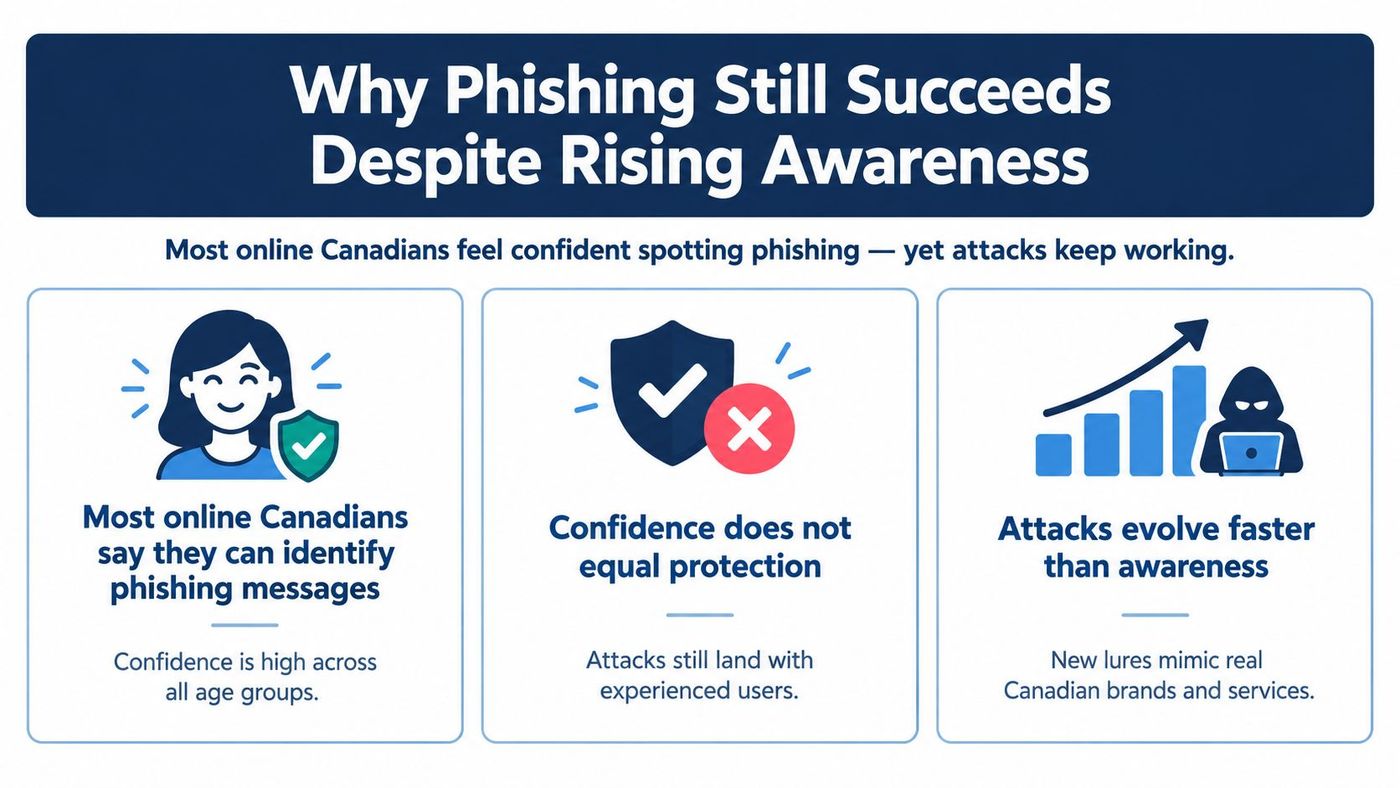
A 2026 federal Get Cyber Safe survey found that 73% of online Canadians felt confident they could identify a phishing message, yet self-reported exposure rose from 18% in 2022 to 26% in 2026. The survey results expose the weakness in relying on awareness alone. People can recognise common warning signs and still click a carefully timed, convincing message that appears to come from a supplier, executive, financial institution, or government service.
For Canadian businesses, effective phishing attack prevention means accepting that some messages will reach an inbox and some users will make mistakes. The practical response is layered defence, combining recurring training, email authentication, filtering, multi-factor authentication, endpoint controls, and a rehearsed process for containing a compromised account.
Phishing succeeds because confidence does not reliably predict safe decisions. A message can use a familiar supplier name, refer to a genuine project, copy the design of a cloud service, or arrive when a finance employee expects an invoice. Spear-phishing and impersonation campaigns exploit business context and urgency, not just poor spelling or unusual formatting.
Many online Canadians say they check messages for warning signs before clicking or replying. That habit reduces some mistakes, but it does not remove the exposure gap. A recipient can inspect the sender name and still miss a lookalike domain, approve a fraudulent MFA prompt, or trust a request because it follows a real business conversation.
The Canadian Anti-Fraud Centre's definition of phishing centres on impersonation used to obtain usernames, passwords, personal details, credit card data, or banking information. The definition describes the objective rather than a fixed email format. An attack may arrive by email, text message, or another channel, and the recipient may never see a conventional phishing email.
That distinction should shape how an SMB measures readiness. Completing an awareness course shows attendance. It does not show whether an employee reports a suspicious message, verifies a payment change through a known channel, rejects an unsolicited login request, or calls a supplier when a request feels urgent.
Practical rule: Treat user judgement as one barrier in the process, not the final barrier.
The Canadian Centre for Cyber Security warns that phishing-as-a-service kits and AI chatbots are expected to keep increasing the fraud threat over the next two years. Its National Cyber Threat Assessment 2025–2026 also identifies spear phishing as having one of the highest reported financial impacts in Canada. According to that assessment, AI-assisted messages make visual inspection less dependable, while ready-made kits reduce the effort required to run credential-theft campaigns.
A practical phishing attack prevention programme connects four layers. Employees receive role-specific coaching and a clear reporting route. Email systems authenticate senders and filter malicious content through controls such as DMARC. MFA and endpoint protection limit what a stolen password or downloaded payload can do. If someone clicks, IT needs a rehearsed containment process to disable sessions, reset credentials, review mailbox activity, and protect the wider business before the incident spreads.
Annual security awareness training has a place, but it shouldn't be the main measure of phishing readiness. Employees need practice with the decisions they make during a busy workday, particularly when an email appears to involve payroll, a customer, a tax matter, a senior executive, or a familiar supplier.
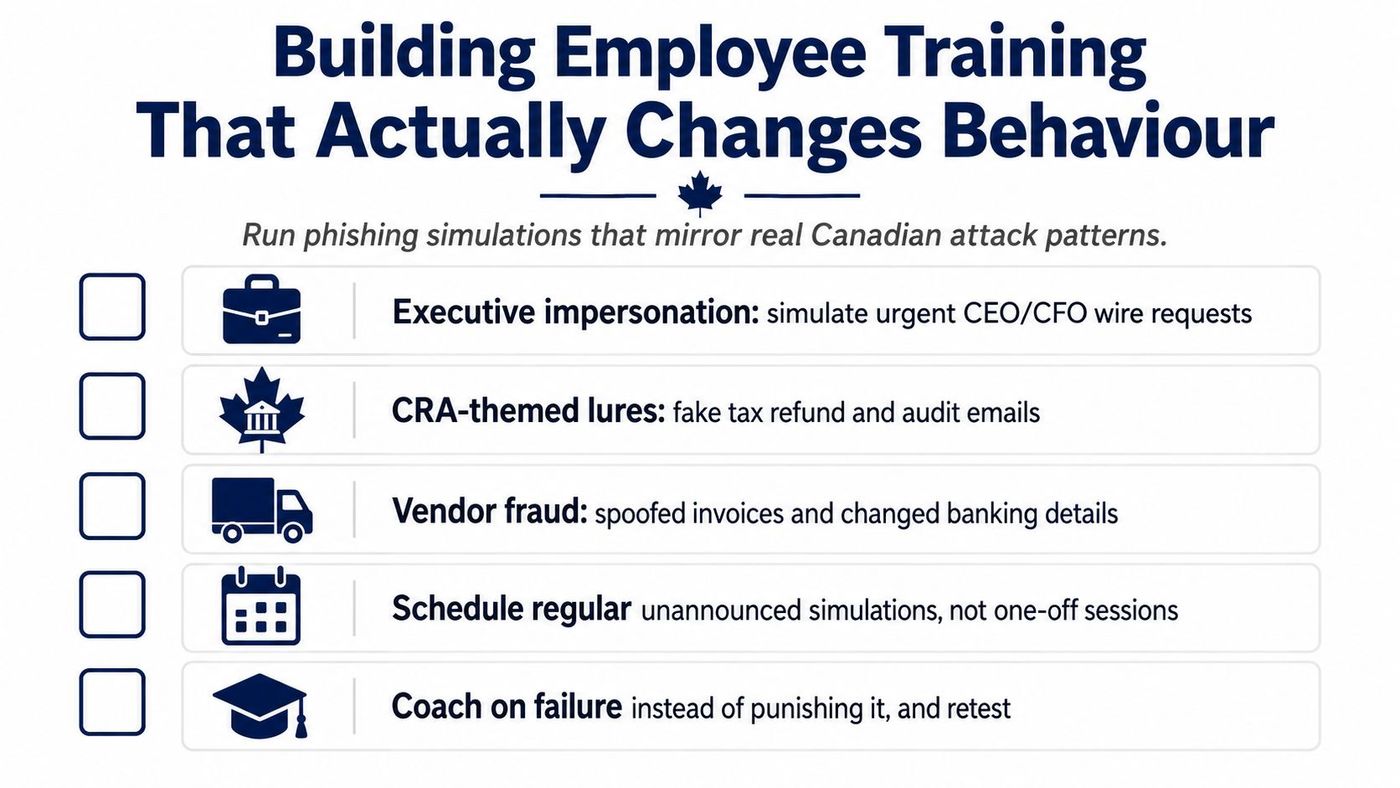
Simulations should reflect the organisation's actual exposure. A finance team might receive a mock vendor payment-change request. Executives and assistants might see an urgent message that appears to request a wire transfer. Staff who deal with government services may encounter a CRA-themed lure involving a tax refund or audit. The exercise should test reporting and verification, not merely whether someone notices a misspelling.
CIRA's Canadian awareness-training data covered 126,000+ simulated phishes sent to 21,000+ users in 140+ organizations. Initial click rates were 8.2%, falling to 4.5% after 90 days and 3.3% after one year of ongoing simulation and feedback, as reported in CIRA's phishing and cyber training data.
The lesson isn't that every organisation will achieve the same result. The lesson is that repeated exposure, immediate coaching, and measurement of behaviour can reduce risky clicks over time. A single session can't create that feedback loop.
A practical programme should include:
CloudOrbis provides a security awareness training resource that can help business leaders shape this type of recurring programme.
Before clicking, replying, or scanning a QR code, employees should pause long enough to answer a few practical questions:
The most effective culture is one where reporting a suspicious message is faster and safer than trying to investigate it alone.
Training can't inspect every message at the point it arrives. An email security gateway should analyse sender reputation, links, attachments, spoofed domains, lookalike senders, and other signals before suspicious content reaches an employee. It should also give administrators a way to quarantine messages, investigate why they were blocked, and release legitimate mail without weakening the broader policy.
Microsoft 365 and Google Workspace both provide built-in controls, but default settings aren't a complete phishing defence. Administrators should review impersonation protection, malicious-link scanning, attachment inspection, external-sender warnings, quarantine workflows, and reporting integrations. Policies should be stricter for finance, payroll, executives, and administrators because those accounts can authorise payments or expose sensitive information.
The sender-authentication layer has three related parts:
DMARC implementation needs care. A business should first inventory legitimate services such as Microsoft 365, marketing platforms, payroll systems, CRM tools, and ticketing applications. It can then review authentication reports, correct services that send on the organisation's behalf, and move from monitoring toward quarantine or rejection once legitimate mail is aligned.
That staged approach reduces the risk of disrupting invoices, customer notifications, and other important messages. Leaving DMARC in monitoring mode indefinitely, however, means the organisation gathers information without asking receiving systems to act on spoofed mail.
The Canadian Centre for Cyber Security's anti-phishing guidance recommends anti-phishing technology aligned with DMARC, MFA, software updates, blocking known malicious IPs, domains, and file types, plus internal verification and reporting procedures.
Email Security Controls and the Attacks They Stop
| Control | What It Blocks | Where to Configure It |
|---|---|---|
| Link and attachment scanning | Malicious URLs, harmful files, and known phishing payloads | Email security gateway and endpoint platform |
| Impersonation protection | Lookalike domains, spoofed executives, and suspicious external senders | Microsoft 365 or Google Workspace security policies |
| SPF | Unauthorised servers attempting to send for the organisation's domain | Public domain authentication settings |
| DKIM | Messages that lack a valid signature or were altered after signing | Email platform and domain authentication settings |
| DMARC | Domain spoofing that fails alignment and authentication checks | Domain policy and receiving-mail enforcement |
| File-type and domain blocking | Known malicious senders, domains, IPs, and risky file types | Gateway, DNS filtering, firewall, and endpoint controls |
| Internal reporting workflow | Delayed notification and repeated exposure to the same lure | Mail client reporting button and IT ticketing system |
These controls don't replace verification. Authentication can show whether a message is authorised for a domain, but it can't prove that a legitimate account hasn't been taken over. For practical implementation considerations, CloudOrbis also outlines email security best practices.
A successful phish may begin with a stolen password, but that password should not grant access by itself. MFA is the highest-value safety net for credential phishing because it can block an attacker using a captured username and password. It does not stop every attack. Session-token theft and fraudulent approval prompts can bypass poorly configured MFA, yet enforced identity controls sharply reduce the exposure created by one compromised password.
Choose the authentication method for the attack it must resist. Authenticator applications with number matching help limit approval-spam attacks. Passkeys and hardware security keys provide stronger protection against fake sign-in pages because the credential is bound to the legitimate site. SMS codes are easier to deploy, but phone-number takeover, message interception, and social engineering make them a weaker fallback. Require MFA for email, remote access, administrative consoles, financial platforms, and any service where account access could expose payments or sensitive data.
Set these requirements through identity policies rather than employee preference. Review recovery methods, remove stale devices, restrict who can enrol new authentication methods, and alert on unusual sign-ins or changes to security settings. Conditional access can also require stronger authentication from unfamiliar locations, unmanaged devices, or high-risk sessions.
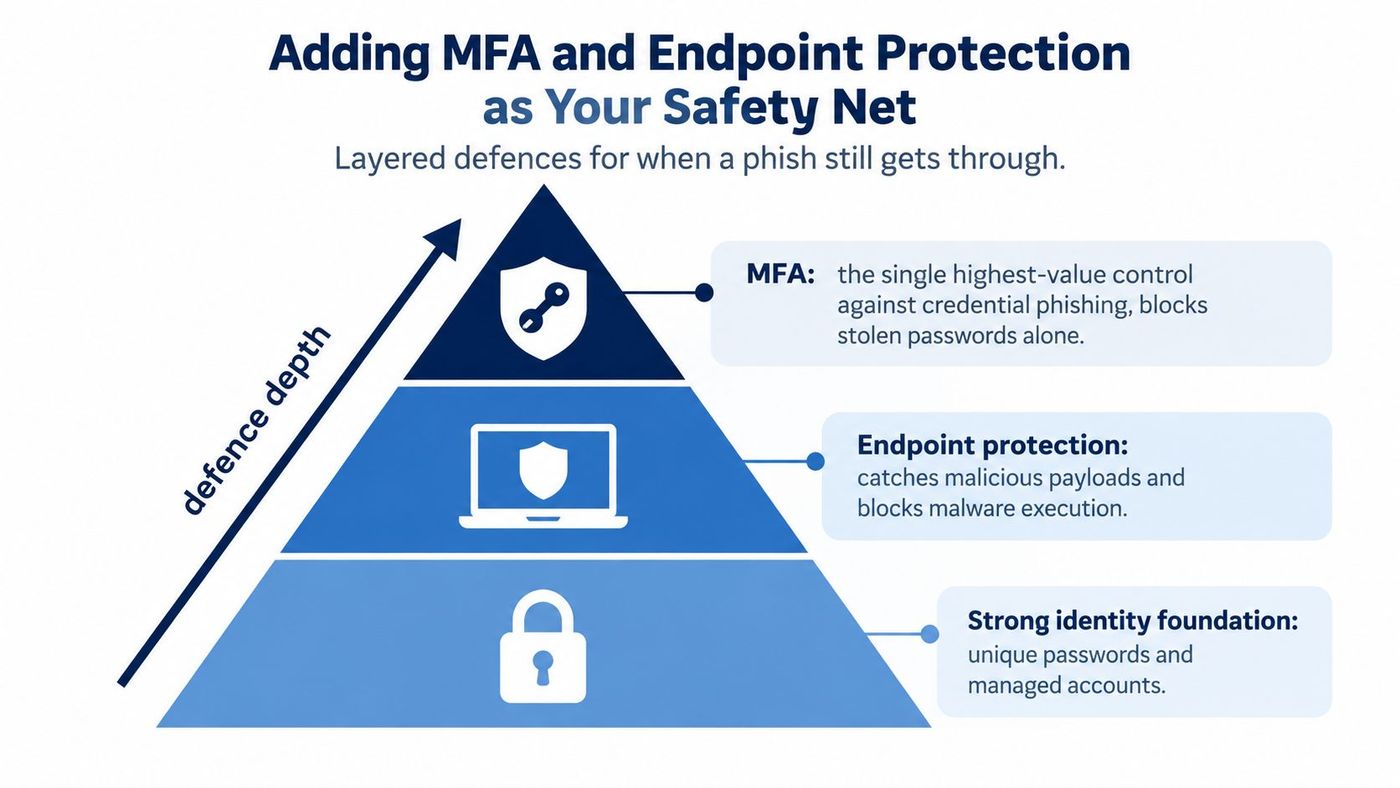
Endpoint protection must detect more than traditional viruses. Configure it to identify credential-harvesting pages, suspicious browser activity, malicious attachments, script abuse, unauthorised processes, and malware execution. Endpoint detection and response tools give IT staff visibility into the device, account, process, and network activity associated with an alert. That visibility helps close the confidence-versus-exposure gap: employees can make a mistake without giving an attacker unlimited time on the device.
Patching supports this layer. A malicious attachment or website may target an outdated browser, operating system, document reader, or business application. Use managed processes to update operating systems, browsers, email clients, security tools, and remote-access software. A security product that is not maintained or monitored can create confidence without providing dependable coverage.
Teams reviewing their controls can use endpoint security best practices 2025 from Kushan Business Solutions LLC as a supplementary reference. The right setup for an SMB depends on its devices, identity platform, remote-work model, and tolerance for user disruption. Test alerts and recovery procedures so the tool produces an action, not just another notification.
For a practical comparison of number matching, passkeys, and conditional-access enforcement, CloudOrbis's multi-factor authentication guide explains the trade-offs for organisations reviewing identity protection choices. Pairing those controls with endpoint monitoring means a single phished account is more likely to trigger a fast, contained response.
A finance employee replies to a convincing vendor email. The attacker directs the employee to a sign-in page, captures the credentials, and enters the mailbox before anyone notices. The attacker may then search previous conversations, create a hidden forwarding rule, watch for invoices, enrol a new MFA method, or send a payment-redirection request from the compromised account.
The first response shouldn't be an argument about why the employee clicked. It should be a calm, repeatable containment process.
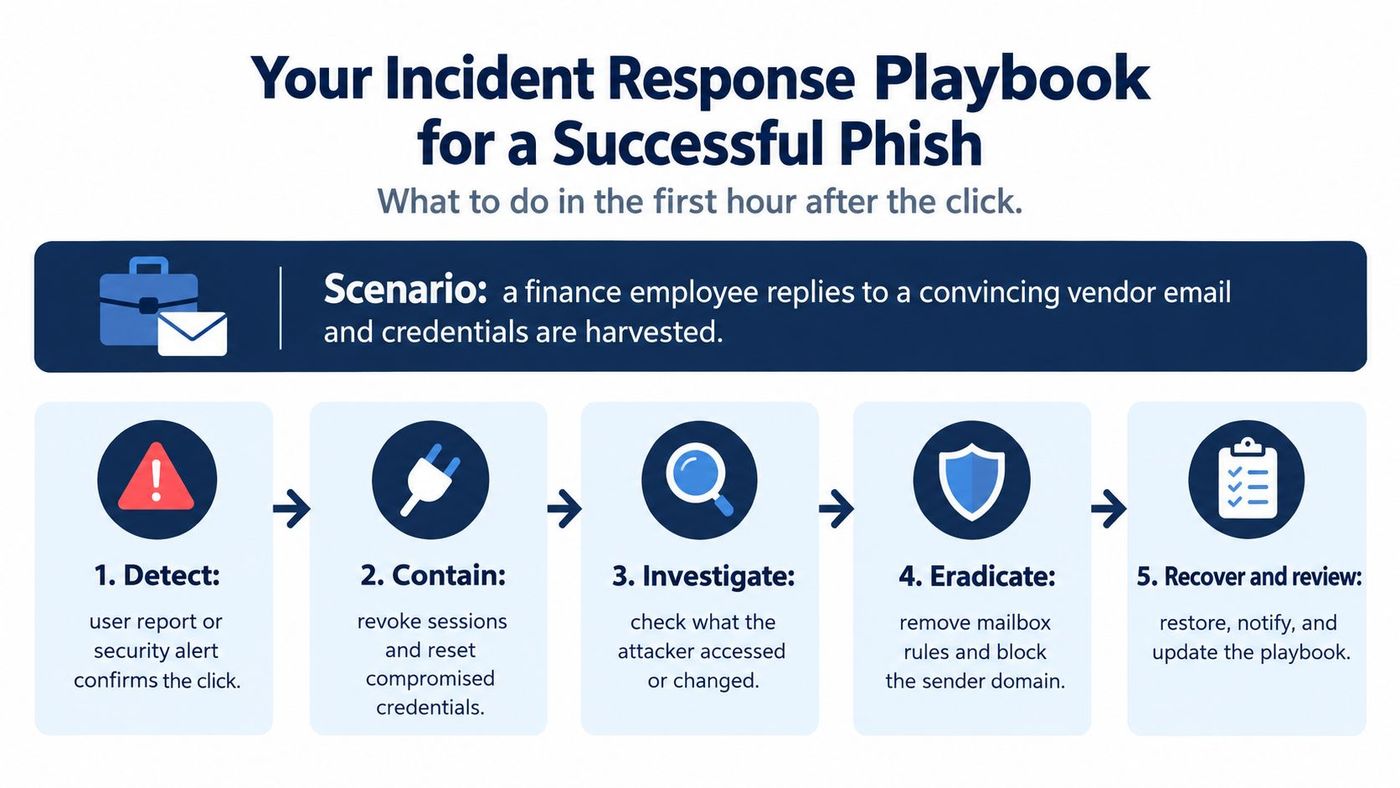
Use a clear order of operations:
The Canadian Anti-Fraud Centre's 2025 reporting recorded over 112,000 fraud reports and over $704 million in reported losses, with phishing among the tracked fraud categories. Those figures reinforce why a fast report matters. A user who reports a suspicious click immediately gives IT a chance to revoke sessions, search for related messages, and stop a fraudulent request before it becomes a financial event.
A small IT team can use a single-page playbook with named owners:
A documented incident response playbook guide from TheBestReputation can provide useful structure when formalising those roles. CloudOrbis also describes threat detection and response practices that can support alerting, investigation, and containment.
The playbook should state who can disable an account, who contacts the bank, where evidence is stored, and how employees report suspected compromise outside normal working hours. A plan that depends on one person remembering every action under pressure isn't a plan the business can rely on.
A phishing programme becomes useful when leadership can see whether behaviour and technical coverage are improving together. Track simulation click rates over time, employee report rates, DMARC enforcement coverage, MFA enrolment, and the time between a reported phish and containment. Each measure answers a different question.
Click-rate movement shows whether simulations are changing decisions. Report rates show whether employees are helping the security team find threats. DMARC coverage indicates whether the organisation is reducing domain impersonation. MFA enrolment shows how widely identity protection applies. Mean time to contain shows whether the response process works when a real message gets through.
The Canadian Anti-Fraud Centre received nearly 24,000 phishing reports over the previous three years, making phishing the most reported type of cyber-enabled fraud in Canada, according to Get Cyber Safe's phishing fact sheet. Reporting volume isn't a failure metric by itself. An increase may indicate that employees understand the reporting process, while a slow response to those reports remains a serious weakness.
A quarterly review can combine the dashboard with a short tabletop exercise. Give the team a scenario involving a compromised finance mailbox, then ask who revokes sessions, who checks inbox rules, who verifies a payment request, and who communicates with staff. Record the points where people hesitate and update the playbook rather than assuming the next incident will be easier.
Leadership presentations should translate technical measures into business outcomes. Explain which payment workflows have independent verification, which critical accounts lack resistant MFA, whether legitimate senders remain outside DMARC enforcement, and how quickly the business can contain a reported compromise. Avoid presenting training completion as proof that the organisation is safe.
A phishing simulation resource can help teams plan recurring exercises and use results to guide retraining. If internal resources are stretched, a managed IT partner can assess identity, email, endpoint, backup, response, and compliance controls together instead of treating phishing as an isolated inbox problem.
CloudOrbis Inc. provides managed IT support, security awareness training, phishing simulations, email security implementation, endpoint protection, threat detection, and incident response support for Canadian small and mid-sized businesses. Visit CloudOrbis Inc. to request a security assessment and discuss a practical engagement covering assessment, implementation, employee training, and ongoing optimisation.
Book a 30-minute call with a senior engineer. No sales script, just straight answers about your environment.

